
Manual
Beyond Routes manual
How Beyond Routes works, screen by screen. Start at the top for your first launch, or go straight to the part you need.
What it needs
An iPhone with iOS 26, and outdoor workouts in Apple Health that carry their route. Beyond Routes reads those workouts. It does not record them.
Apple's Workout app saves the route with every outdoor workout, on Apple Watch and on iPhone. Keep recording with it as you do now. Runs, walks, hikes and rides all work, and each kind is compared only with its own kind.
Another recorder works only if it writes the route into Health along with the workout. A workout without a route cannot be placed on the ground, so it is not imported, and the app tells you how many it set aside.
First launch and Health access
The first screens show an example route and one run set against its best, made up for the demonstration. Then Health asks what Beyond Routes may read.
Workouts and routes is the one it cannot work without, because it is how your routes are found. Heart rate, energy and effort show the work behind a workout's time. Running dynamics adds cadence, power, stride and contact time when your Watch records them. VO₂ Max shows a nearby Apple Watch estimate when there is one.
You can change any of these later in the iPhone's Settings, under Privacy & Security, then Health. Beyond Routes never writes anything to Health.
Then it reads your whole history and counts the workouts and routes as it goes. A long history takes a few minutes. If the iPhone locks or you leave the app, the import stops at a checkpoint and carries on the next time. After that, a new workout is read when you next open the app.
How routes are found
Beyond Routes compares the GPS trace of each workout with the others. Inaccurate points are dropped first. Most routes are then ruled out quickly on direction, where they start and end, and length. What is left is compared for how much of the same ground both workouts covered, in the same order, and how far apart they drift. Workouts alike enough become one route.
Some runs are kept apart on purpose. The same loop run the other way round is a separate route. A run with a long detour becomes its own route instead of joining the one it mostly follows, so a record is only ever set on the same ground. A run that goes round a familiar loop in a different order is not counted as that route.
Each route is named after its place. Where several routes start at the same door, each takes a street at its far end or a word from nature rather than a number.
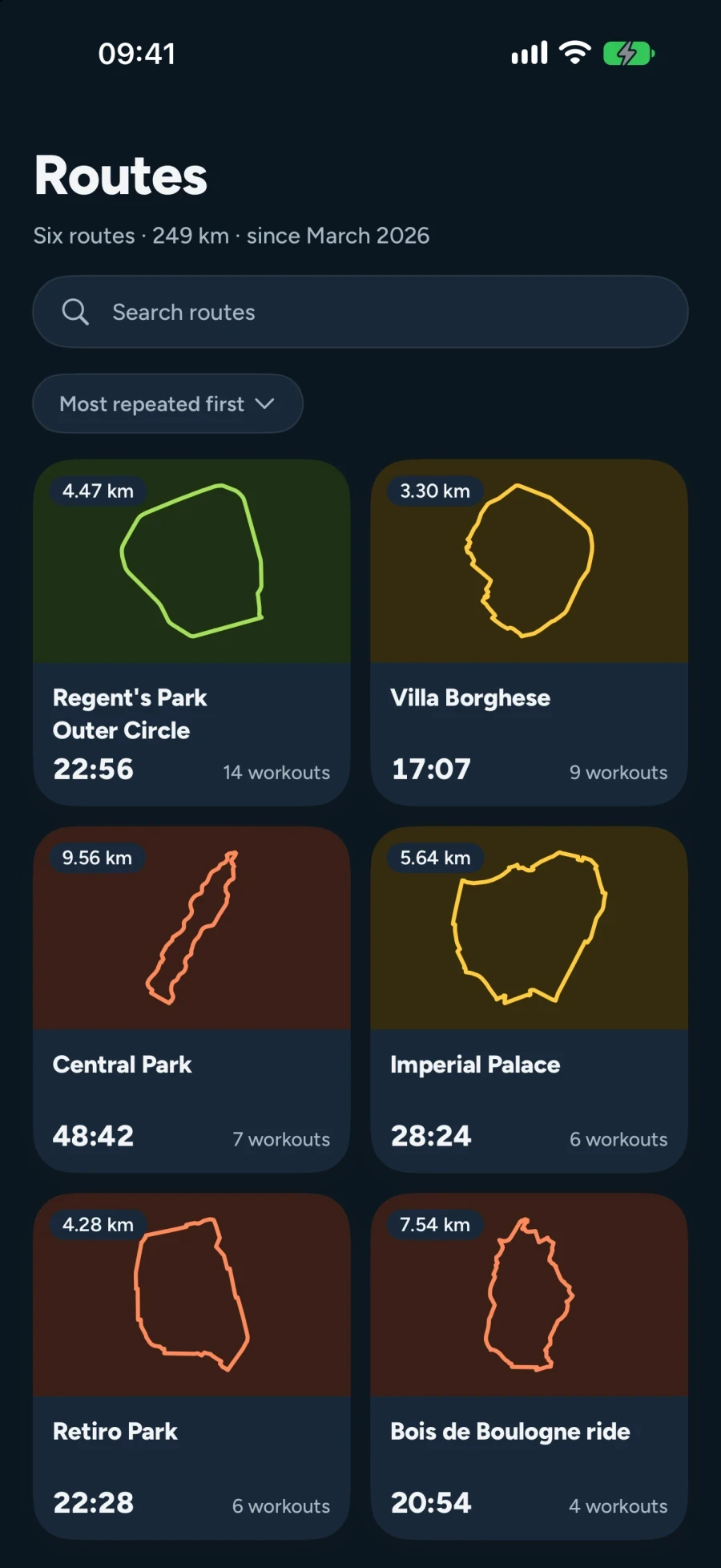
The Routes tab lists them all, most repeated first, each with its shape, how many workouts it holds and its fastest time. Open one for its map, its times, its last five runs and a button that opens every run on it in Workouts. On a workout, the line under its route opens the evidence for its match: how much of the path stayed inside the route's corridor, how far apart the starts and finishes were, and the direction.
A workout
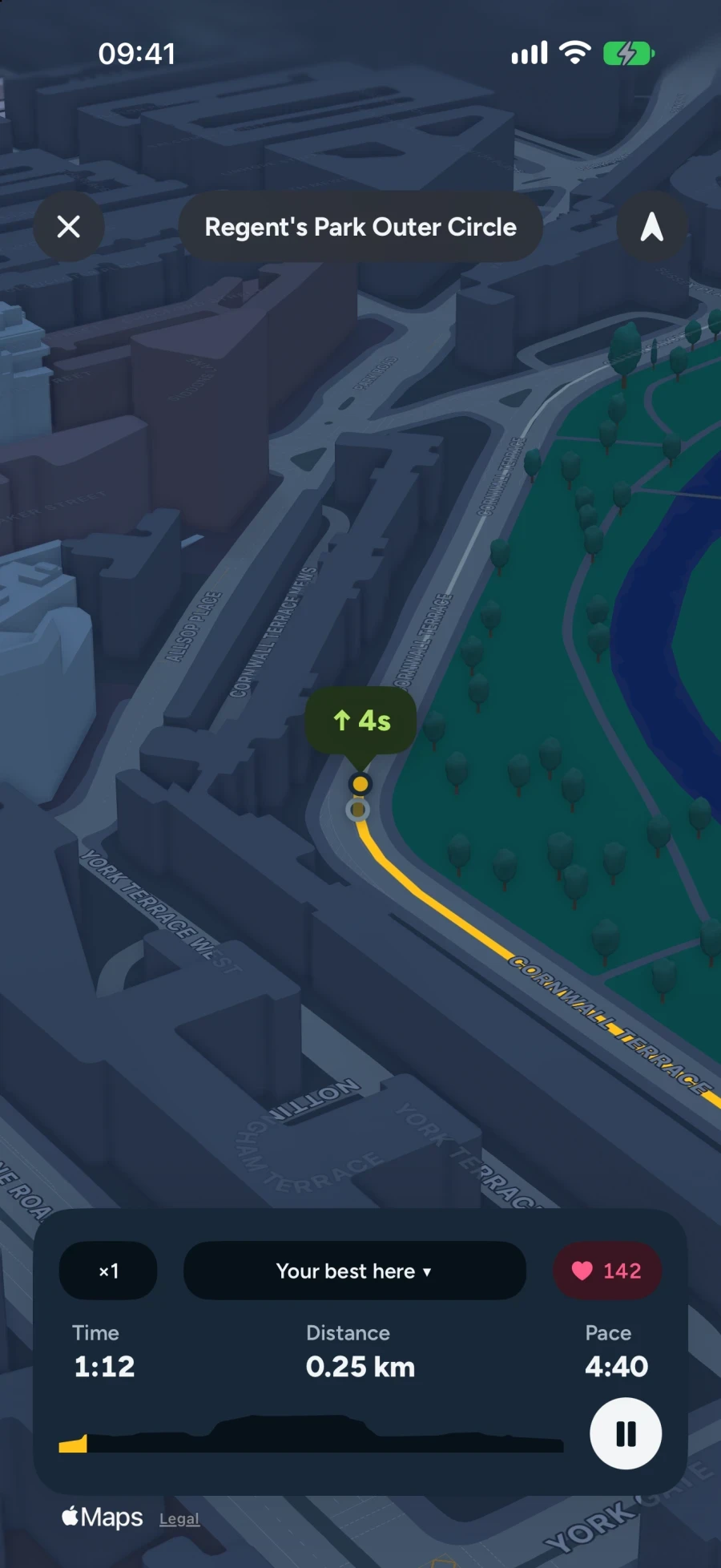
Workouts is the tab the app opens on. A workout opens on its time and where it ranks among your runs on that route. Pace, distance, climb, energy, heart rate and VO₂ Max sit under it, each beside its usual value, and Retrace this run sits under those.
Further down: your fastest run on the route and how far off it you were, the map, the route the run belongs to, any laps, how the run compares with your usual and your best, its kilometres, then heart rate, effort and energy, running form and fitness. Each card says where its figures came from and how much of the run they cover.
A pause is not running. A paused run's time and kilometres leave the pause out, and under the time it says how long the run took start to finish. A run with a single pause of 30 seconds or more is marked Not ranked. It is never your fastest, never the run Retrace races by default and never a record, though its other kilometres still count.
The list leads with each workout's date, with its route and distance under it. Sort it newest, fastest or longest first. Search suggests routes, and the cities and countries you have run in. Filters narrow it to a route, a year, your personal bests or paused workouts.
Kilometre comparison
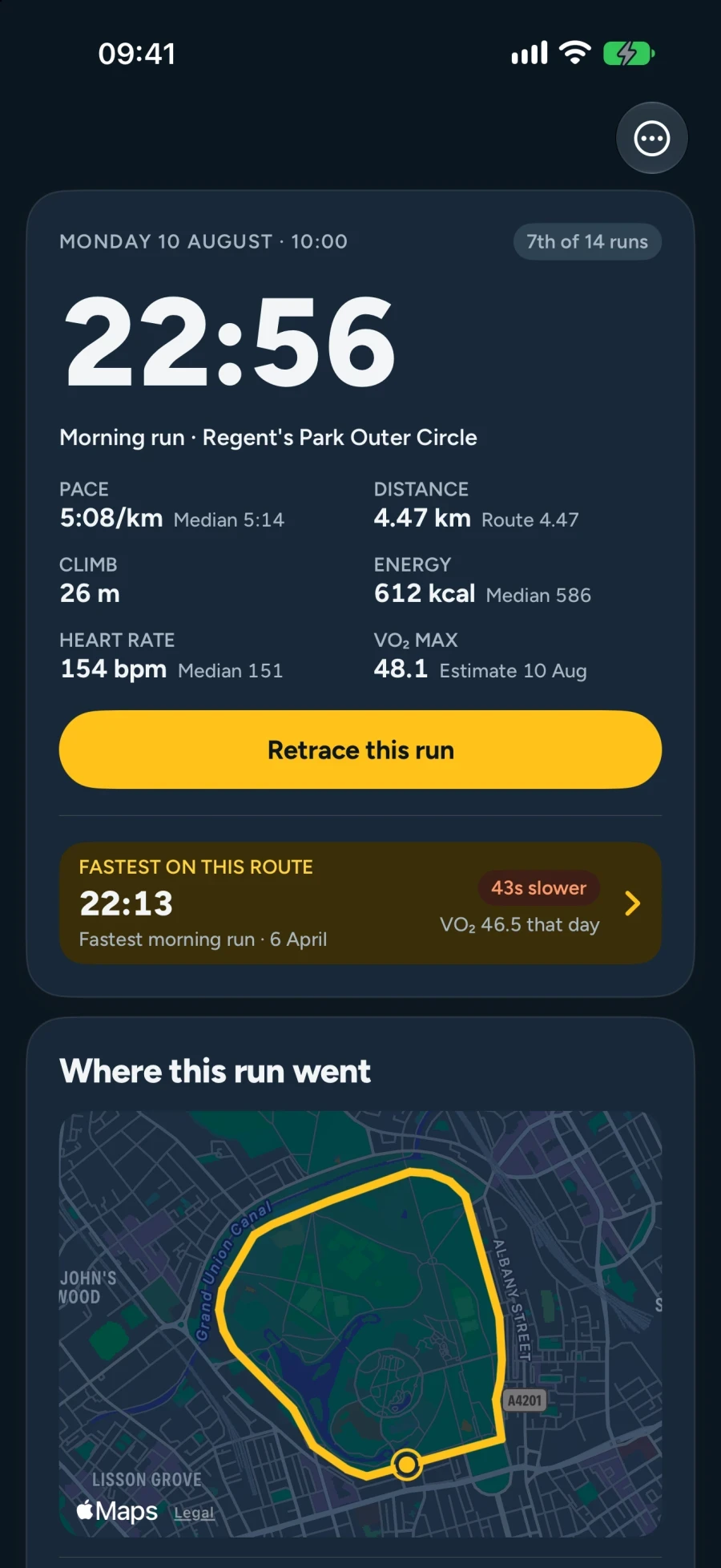
Open a workout's kilometres to set each one against the same kilometre of the route. Choose vs best splits, your record for each kilometre, or vs fastest workout, the matching kilometre of your fastest complete run there. The card at the top adds them up.
Each row gives the kilometre's time, the difference in words, such as 8s slower or New record, and how much it climbed or fell. A paused kilometre shows its moving time, the pause and the whole, like 5:10 (+5:58 = 11:08).
Each kilometre ends where the route's kilometre ends, so your third kilometre is the same ground as every other third. A recorder cuts one every 1,000 metres of your own track instead, which is why these times can differ by a few seconds from the ones you saw during the run. The part kilometre at the end is compared on its own.
Miles work the same way. Choose them in Settings, under Appearance and units, and every split, record and comparison is cut in miles. A route's Kilometre records list your fastest reliable split for each part of it and the day you set it.
Retrace
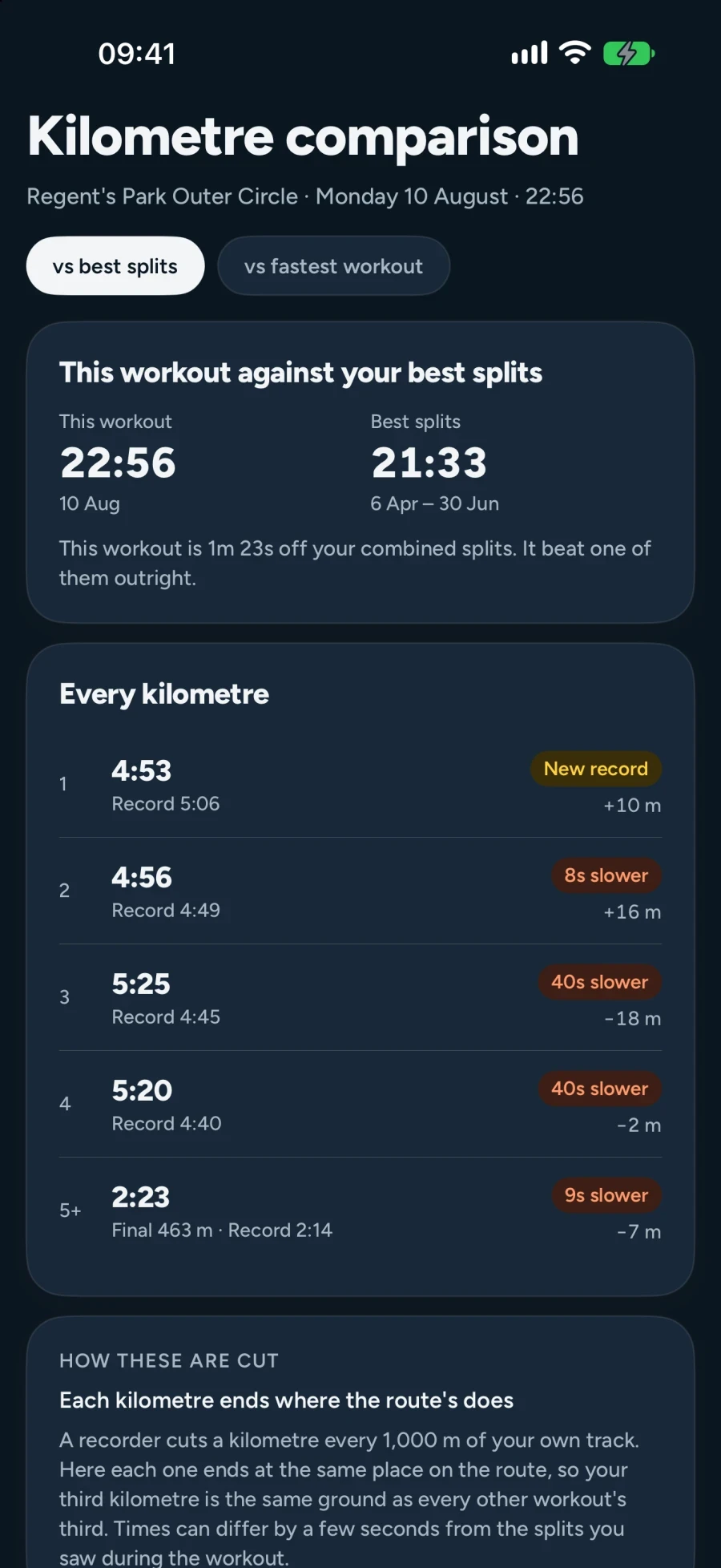
Tap Retrace this run on any workout. The run is flown in 3D over the map at the pace you ran it, slower where you slowed and faster where you pushed. Another of your runs on the same route runs beside it, and the gap between the two of you stays on screen in seconds.
You race your fastest other run there unless you choose. If this run is your fastest, you race your next fastest. Tap the name of the run you are racing to pick another: the middle of your times there, once three other runs exist, or any single run on the route, newest first, each with its date and time.
Under the map you can pause, drag along the route to move through the run, and change the speed from half to four times. The round button at the top chooses the camera: Close, Following or Overview. Your heart rate rides along when the run recorded it, and each kilometre and lap is marked as you pass it.
At the end the route is painted by where the time went. A card says how far ahead or behind you finished, which kilometre took the most time out and which gave the most back. Retrace again plays it once more. With Reduce Motion on, you get a still comparison instead: the route and a chart of the seconds in hand along it.
Free: your newest workout, racing the run it races by default, and every run on your two free routes, racing any run you pick. Premium: Retrace on every other workout, and choosing who it races.
Laps
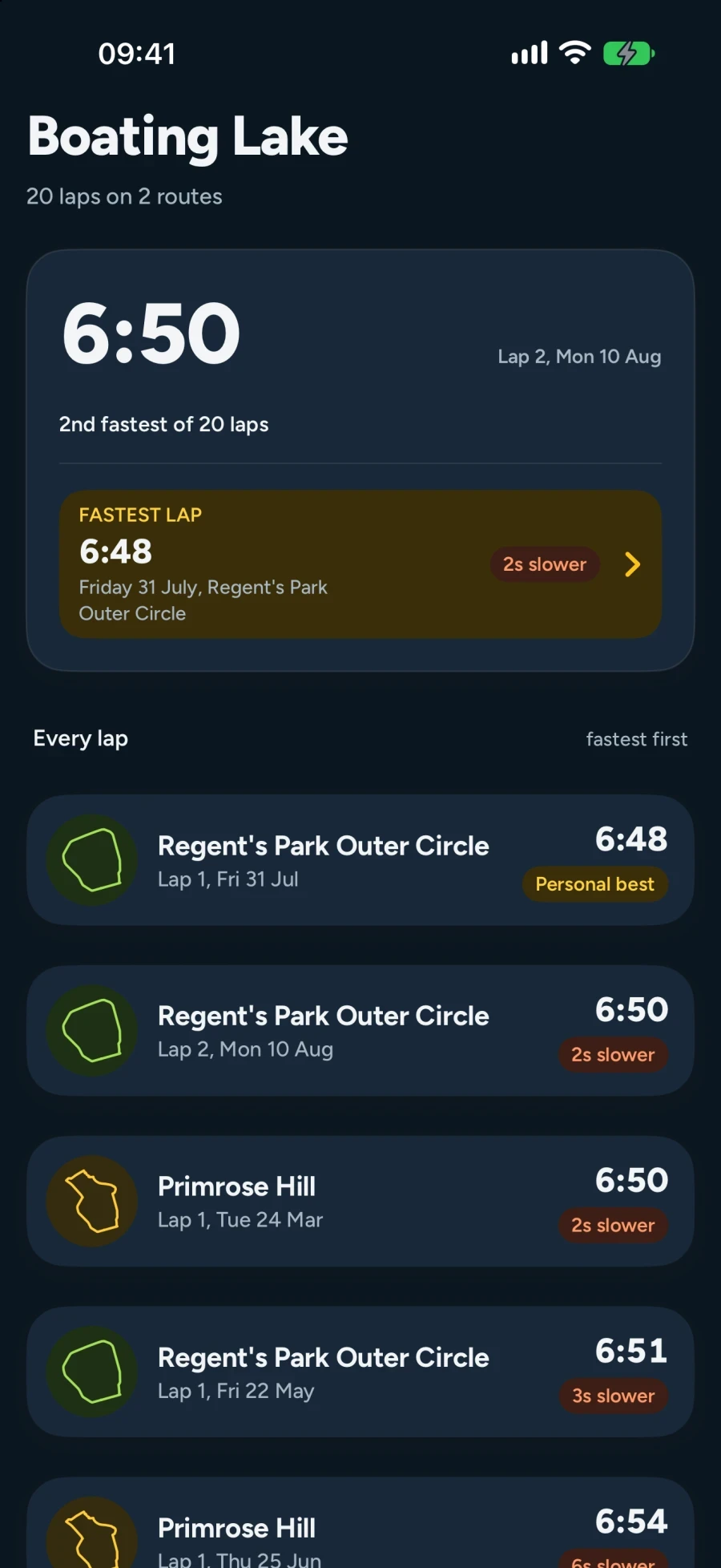
Different routes often share a loop, such as a lake that one run goes round on the way out and another goes round twice. Beyond Routes finds a loop like that inside your runs, at least 600 metres long and closing within 30 metres of where it began, and times every lap of it on every route.
A workout that lapped one shows a card for it under its route. The loop's own screen gives its record, where your lap stands, and every lap fastest first, each with the route it was run on and its date. On the map and in Retrace a marker with the lap's number sits where each lap closes, and Retrace's last card names your fastest lap.
Laps are Premium on every workout, the newest included, because a loop's record is made of laps from other routes. Without Premium the card names the loop and counts its laps.
Correcting routes and workouts
Matching is cautious, and sometimes it is wrong. When it is, put it right. Your correction is kept, and the app never undoes it on its own.
- Rename route, in a route's menu. A name is a label: the shape stays the route, and two routes may share a name.
- Merge with another route, for two routes over the same ground. The app warns when they run in opposite directions or do not follow the same ground.
- Divide route, to take some of a route's workouts into a new route.
- Move this workout, on a workout. Nearby routes of a similar length come first, and a new route is one tap away.
- Edit, on a workout, to rename it or say what it was: a run, a walk, a hike or a ride. A run your watch filed as a walk leaves the walks' records and joins the runs'.
- Is this right? appears on a workout whose pace is unlike your others of that kind, usually a ride filed as a run. Say what it was, or say it was right and the question goes away.
None of this changes Apple Health. Settings, Rebuild analysis erases what the app has worked out and reads Health again from the start. It erases your route names and corrections too, so try a correction first.
Me
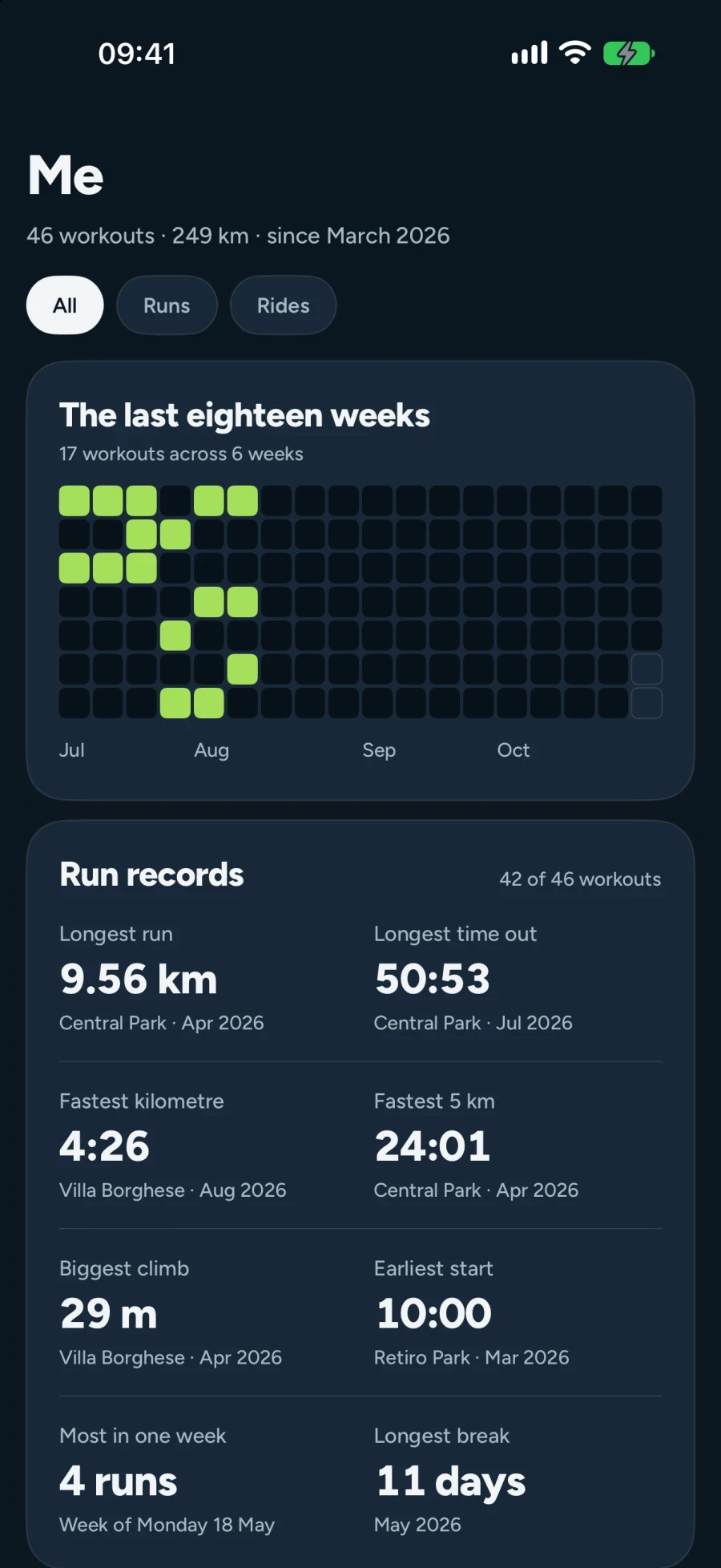
Me adds up your history. Your records are here: longest run, longest time out, fastest kilometre, fastest 5 km, biggest climb, earliest start, most runs in one week and longest break, each with where and when. So are the places you go most and your totals since your first workout.
Chips at the top narrow Me to one kind, such as runs or rides. A record always belongs to one kind, and a paused run never holds one. When some workouts look unlike your others, Me says how many and offers to review them.
The calendar and Then and now, how each route has changed over the year, are Premium.
Settings
Appearance and units holds System, Light or Dark, and kilometres or miles. Matching method explains how routes are found. Update status shows the reading done in the background and any retries. Data and privacy says what is stored on this iPhone and how much room it takes. Rebuild analysis starts again from Health. Premium, Restore purchases and Manage subscription are here too.
Free and Premium
Two whole routes are free for ever. Beyond Routes picks the two you have run most, the first time it reads your history, and never moves them on its own. On them everything works: every run, the trend, kilometre records, Retrace on any run and choosing who it races.
Off them, your newest workout opens in full wherever you ran it, Retrace included. Every other workout still shows its own distance, time, pace and route. Importing, matching and every correction are free on every route.
Premium opens every route and every workout, as far back as Apple Health goes, with laps and the calendar in Me. It is $2.99 a month, $19.99 a year or $49.99 once in the US, and the App Store shows your local price. The yearly plan starts with a free month for customers Apple offers it to.
If Premium lapses, nothing is taken. Every workout, route, name and correction stays, and the free routes stay open. Cancel in the iPhone's Settings, under your Apple Account, then Subscriptions. Deleting the app does not cancel it. Bought once, Premium stays on your Apple Account, and Restore purchases in Settings brings it to a new iPhone.
What it does not do
It does not record workouts, and it has no Apple Watch app. It runs on iPhone, with iOS 26, and nowhere else.
It does not coach, set goals, rank you against other people or share anything. There is no account and no feed. It does not plan routes, and it cannot import files from other apps, such as a Strava export.
Route names and corrections live on this iPhone and are left out of iCloud backup, so a new iPhone reads Health again and starts without them. Two points of each route, where it starts and its furthest point, go to Apple so the place can be named. The privacy policy has the rest.
Read the privacy policy, or see how it compares with other running apps.
Help
Support answers the common questions. If something is wrong, or a route was grouped badly, write to us. Please describe it rather than sending screenshots of your health data.
Beyond Routes support. Or write to supportbeyondbeyond.se.


For iPhone, iOS 26.