Voice Memos alternative
The Voice Memos alternative made for musicians.
Music Dawn records a song idea as fast as Voice Memos, then gives you a click, a tuner on the same screen, a folder for every song and a finished sound on every take.
Free on iPhone, iPad and Apple Watch. Keep Voice Memos for meetings and lectures.



01 / Just as fast
Just as fast, built for music.
Music Dawn is one tap away, like Voice Memos. Start a take from the app, the Lock Screen, Control Center, Siri, Shortcuts or your Apple Watch, and it lands in a library made only for music.
So a song idea never gets filed between a meeting and a shopping list.

02 / Click and tuner
Play to a click. Tune without leaving.
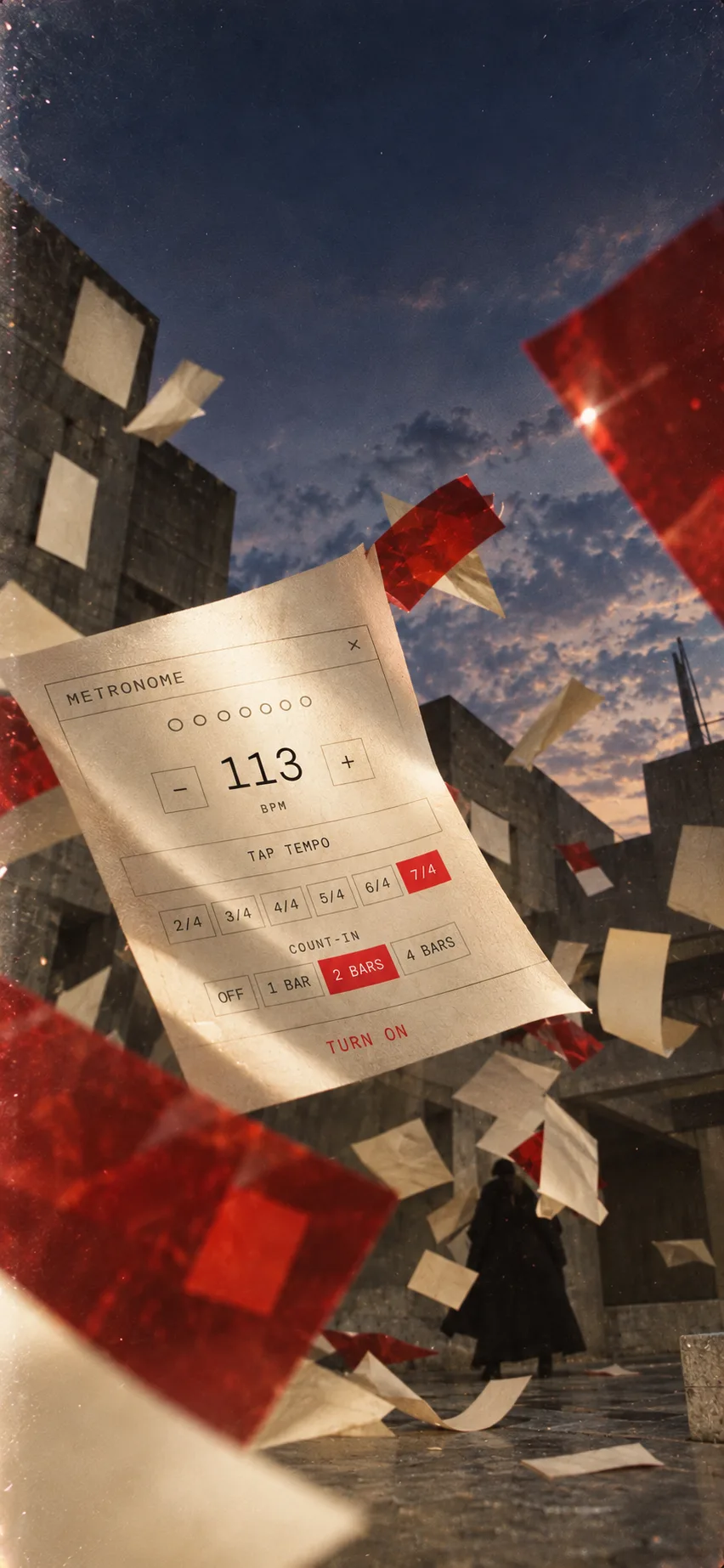
Play to a click.
From 40 to 240 BPM, in 2/4 up to 7/4, or tap the tempo. It plays in your headphones and never ends up in the take.
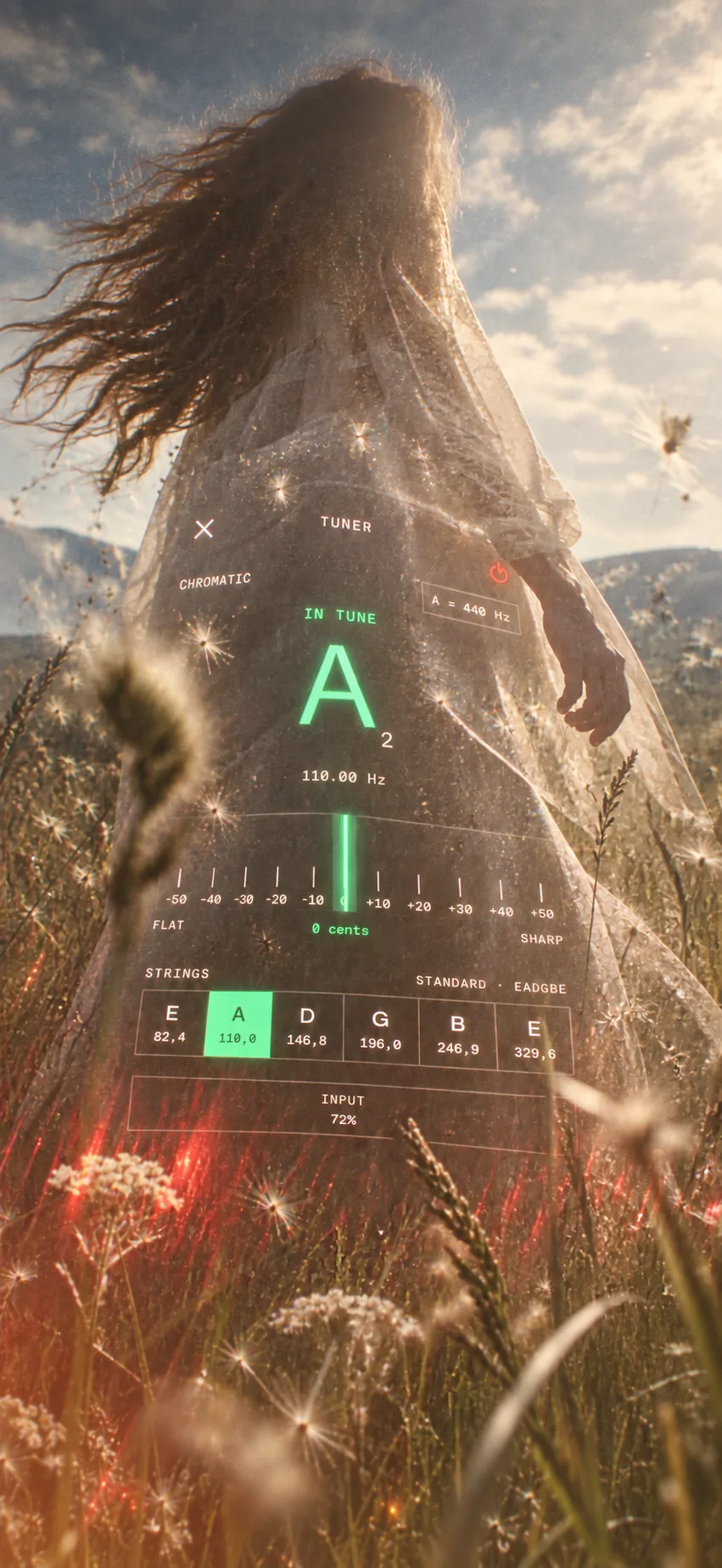
Tune without leaving.
The tuner sits on the same screen: note, frequency and cents, with guitar strings as targets and A4 at 432, 440 or 442 Hz.
03 / A finished sound
Hear the take with a finished sound.
Every take plays through EQ, a compressor, a plate reverb and Master, free, so a riff recorded on the couch sounds like something you want to keep working on.
The original recording stays untouched. Share it as it is, or as a WAV with the sound you hear, to drop into your DAW.

04 / A folder for every song
Every song in its own folder.
Give each song or album a folder and move takes into it, one at a time or many at once. Search by title, keep the best takes in Favorites, or browse by where you recorded them.
Every new take gets a title, so even an idea you never named is easy to spot. Play a whole folder with the screen locked, on a run or a commute, and favorite the best ones from the Lock Screen.

Side by side
Music Dawn and Voice Memos, side by side.
| Feature | Music Dawn | Voice Memos |
|---|---|---|
| One-tap recording on iPhone and Apple Watch | Yes | Yes |
| Click in your headphones (40 to 240 BPM, 2/4 to 7/4) | Yes, never in the take | No |
| Tuner with guitar strings | Yes | No |
| EQ, compression, reverb and Master on every take | Yes, free | No |
| Your own effect chains and presets | Pro | No |
| Chords, key and tempo of a take | Pro (Beta) | No |
| Folders, favorites and search | Yes | Yes |
| Browse by where you recorded | Yes | No |
| Play a whole folder with the screen locked | Yes | No |
| Favorite a take from the Lock Screen | Yes | No |
| Transcribe speech | No | Yes |
| Mac app | No | Yes |
Checked against iOS 26, October 2026.
Bring them along
Bring your Voice Memos along.
- In Voice Memos, share the recordings you want to keep working on and choose Music Dawn.
- Check the count and tap Add.
- Open Music Dawn. They are in the Imported folder, with their names.
Your recordings stay in Voice Memos too. Music Dawn copies them.
Questions
Before you switch.
- Should I switch from Voice Memos?
- If you record music, yes. Music Dawn records just as fast and adds the click, the tuner, music effects and folder playback that Voice Memos does not have. Keep Voice Memos for meetings and reminders. Your old recordings come along as copies.
- Is it free?
- Yes. Recording, the library, iCloud sync, the tuner, the metronome, playback, trimming, and the finished sound (EQ, a compressor, a plate reverb, and Master) are free. Music Dawn Pro adds live monitoring, every other effect, your own effect chains and presets, and chord, key, and tempo detection (Beta). Pro is monthly, yearly with a 7-day free trial, or a one-time purchase.
- Can I still record with one tap?
- Yes, from the app, the Lock Screen, Control Center, Siri, Shortcuts or Apple Watch.
- I miss Music Memos. Is this for me?
- Yes. Music Dawn is made for that same moment: a riff or a melody you want to keep before it slips away. Record it in one tap, then come back to it with a tuner, a click, and your ideas sorted into folders.
- Where do my recordings go?
- Music Dawn keeps them on your device and syncs them through your own private iCloud. There is no account, no ads, and no third-party analytics, and Beyond Beyond never receives your recordings.